#3 Main script setup
Let’s setup our main script and introduce some useful shorthand methods to make our code less verbose.
Load and DOMContentLoaded events
-
Working with the DOM:
- It is essential to ensure the DOM (Document Object Model) is fully loaded and ready for manipulation before attempting to interact with page elements.
- Waiting for the ‘DOMContentLoaded’ event is a common practice, which ensures that the DOM is fully constructed and ready for manipulation.
javascript
-
Differences Between ‘load’ and ‘DOMContentLoaded’:
- The ‘load’ event waits for everything on the page, including stylesheets, images, and other resources, to load. Using the ‘load’ event might delay JavaScript execution since it waits for all resources to load.
- ‘DOMContentLoaded’ triggers as soon as the DOM is ready, allowing for earlier manipulation and improving user experience.
-
DOM Manipulation:
- Once the DOM is ready, elements can be manipulated by JavaScript. For instance, inner HTML of elements can be dynamically modified.
- A demonstration is provided where the content inside a navigation element is altered after the DOM has loaded.
javascript
- Use of Template Strings:
- Backticks are used to create template strings in JavaScript, allowing for easier creation and manipulation of string content, particularly when dealing with multi-line strings or embedding expressions.
A bit more around event listeners
-
addEventListener:
- once Option: An advanced feature of
addEventListenerwhere an event is fired once, and the handler is automatically removed afterward. Suitable for events expected to happen just once.
- once Option: An advanced feature of
javascript
-
Passive Event Listeners:
- Allows the page to continue processing events smoothly, particularly useful in scroll events where the browser’s default is to wait for the event handler to finish. By setting it as passive, the browser will execute the code without waiting, helping in performance.
javascript
-
removeEventListener:
- Important for cleaning up event listeners attached to elements that are being removed, particularly in single-page applications (SPAs). Helps in managing memory by removing unnecessary functions.
javascript
-
Dispatching Custom Events:
- You can create and dispatch custom events, extending the capabilities beyond the default events. Such events can be dispatched from any element.
javascript
-
Managing Event Listeners in DOM Elements:
- When a DOM element is removed, it doesn’t necessarily remove the attached event listeners. Manual removal might be necessary, depending on whether the element will be reused.
-
Multiple EventListeners:
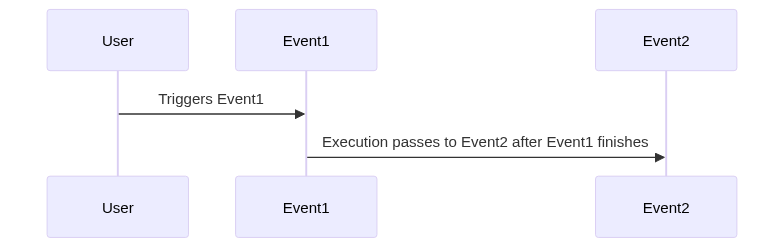
- Multiple event listeners will execute sequentially, not in parallel, as JavaScript is single-threaded. There might be a practical limit on the number of event listeners, but it is rarely reached in real-world scenarios.
-
EventListener Execution:
- Even multiple event listeners attached to the same event execute sequentially due to the single-threaded nature of JavaScript.
Project progress
Create app.js in the root folder and include it in the HTML as in
js
Open app.js and add:
js
Play with the console using $, $$ and direct DOM APIs.
In app.js let’s add the following event handler:
js